
Billy
A mobile app that lets a small trades business price a job, bill the client and send a quotation from the phone, in English and Arabic.
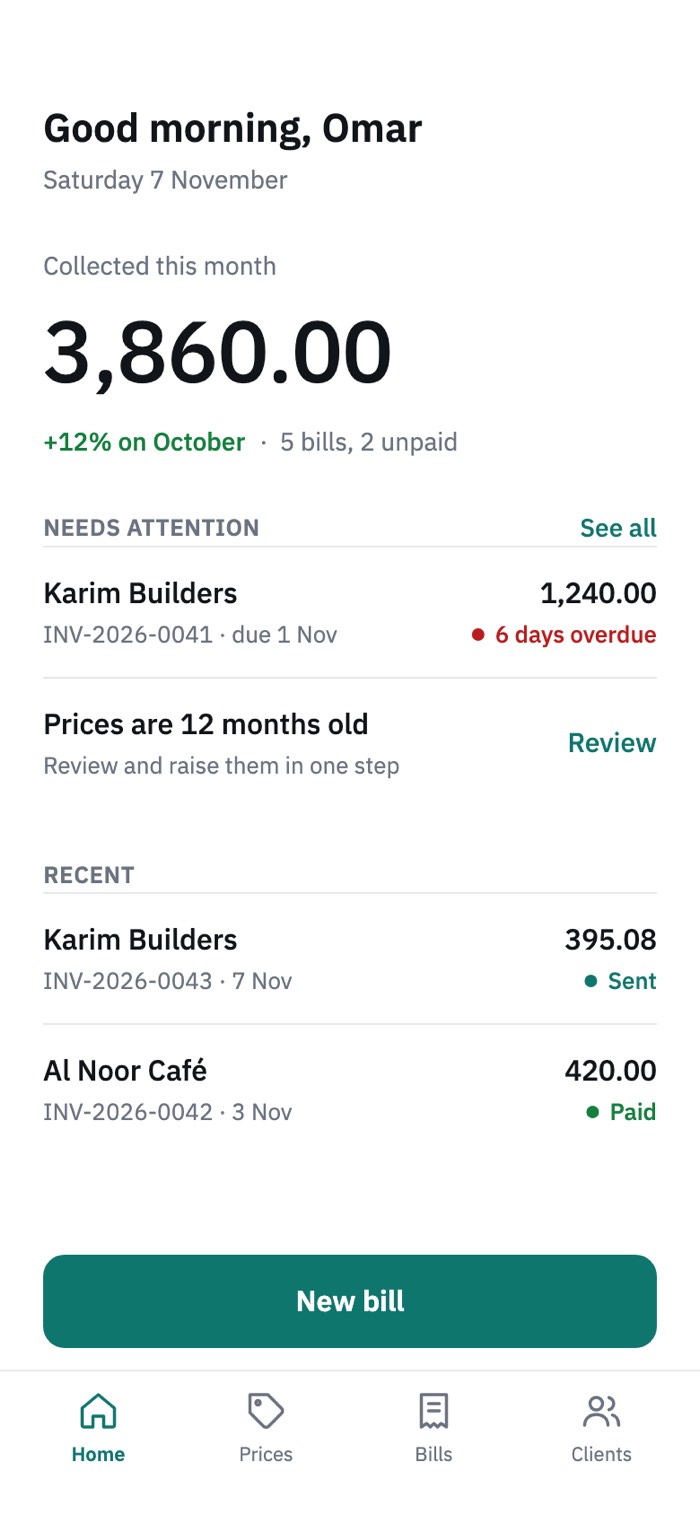
Summary
Billy keeps prices, bills and quotations in one place for a small business that works by the job. I designed it in Figma (24 screens in English and Arabic, light and dark themes, one component kit) and turned it into a working prototype together with Claude Code. The sample business is a plumber, Omar Plumbing; the names and figures are made up.
The design thinking process
- 01EmpathizeWho the app is for and what gets in their way.
- 02DefineThe problem, the questions and the rules the design follows.
- 03IdeateFrom the job to the flow, and the choices that shaped it.
- 04PrototypeScreens, the design system and the work with Claude Code.
- 05TestWhat has been checked, and what I will test with people.
01
Empathize
Who the app is for and what gets in their way.
Billy is for people who run a small business by the job: plumbers, electricians, painters, carpenters. They work on site, price with the client standing next to them and run everything from a phone, often in Arabic and another language.
What I noticed
- Prices live in a notebook or in memory, so the same job gets different quotes.
- Sums are done on a phone calculator, on site, in a hurry.
- Quotations travel as chat messages and get lost.
- Unpaid bills are chased from memory.
These come from my own observation, not from a formal study.
User persona
User persona
Omar
Owner of Omar Plumbing · Tunis
An independent plumber with two helpers. He works for contractors, cafés and home owners, and runs the business from his phone.
- Goals
- Price a job on the spot, on site.
- Send the quotation before leaving.
- Get paid on time without chasing.
- Frustrations
- Prices are scattered between a notebook and memory.
- Quotations get lost in chat threads.
- He remembers unpaid bills too late.
- Today he uses
- A notebook
- The phone calculator
- His memory
- Context
- On site, one hand free.
- A smartphone, Arabic first.
- Invoices in Arabic, English or French.
Success looks likeThe quotation is sent before he leaves the site.
Working persona, based on my observation. To be validated with real users.
Empathy map
Says
- “I’ll send you the price tonight.”
- “Let me check my notebook.”
- “Did you get my message?”
Thinks
- “Did I price this too low?”
- “I should raise my prices, but when?”
- “Who still owes me money?”
Does
- Adds the numbers on a phone calculator.
- Sends quotes by WhatsApp.
- Calls clients to ask for payment.
- Writes prices in a notebook.
Feels
- Rushed on site.
- Unsure about the price.
- Awkward asking for money.
- Relieved when paid.
Hypotheses to test, not findings.
User journey map
One job, from the first price to the last reminder.
02
Define
The problem, the questions and the rules the design follows.
A small trades business needs to price work, bill and follow up quickly, on a phone and in its own language, because paperwork that is late or wrong costs money.
How might we…
- make the first price of a job take seconds?
- stop prices from going out of date unnoticed?
- let the client say yes without an account?
- show what is still unpaid without a report?
Design principles
- One number firstOpen on what matters most: money collected and what needs attention.
- Thumb firstBig targets and short flows, made for one hand on site.
- Two languages, equalArabic and English are designed together, not translated later.
- Quiet interfaceOne accent colour, kept for actions, so the numbers stand out.
03
Ideate
From the job to the flow, and the choices that shaped it.
I mapped the routine of one job from the first price to the last reminder, then designed each step.
The core journey
- 1Set prices
- 2Build the bill
- 3Share a link
- 4Client accepts
- 5Follow up
Task flow: send a quotation
The main task, step by step, with the two decisions that change the path.
Two homes, one chosen
I drew two home screens: a simple one with quick actions only, and a richer one with money collected and a “Needs attention” list. The richer one is the main home, because it tells the user what to do next. The simple one is kept as an alternative layout.
- Home (simple)
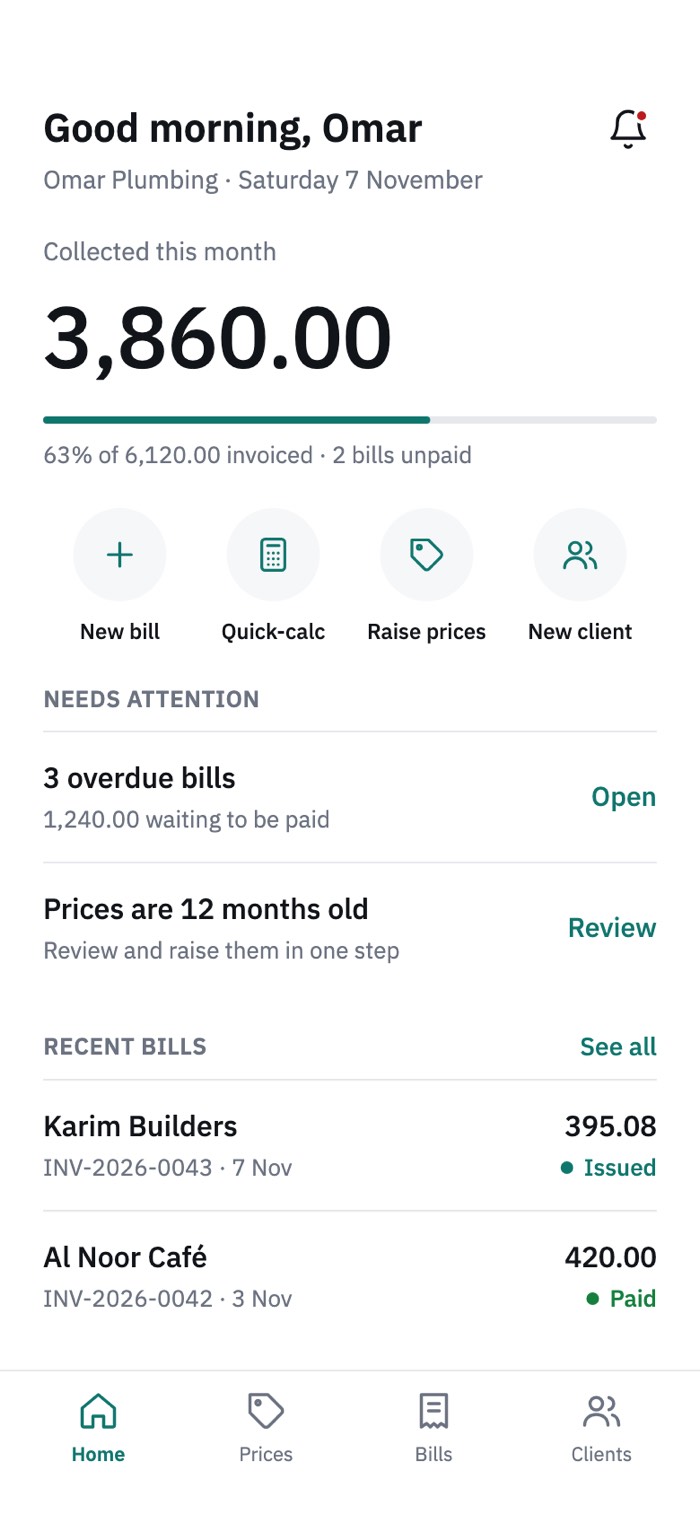 Home
Key decisions
One number first
The home screen opens with what was collected this month and how much of the invoiced total is paid. A “Needs attention” list shows overdue bills and out-of-date prices.
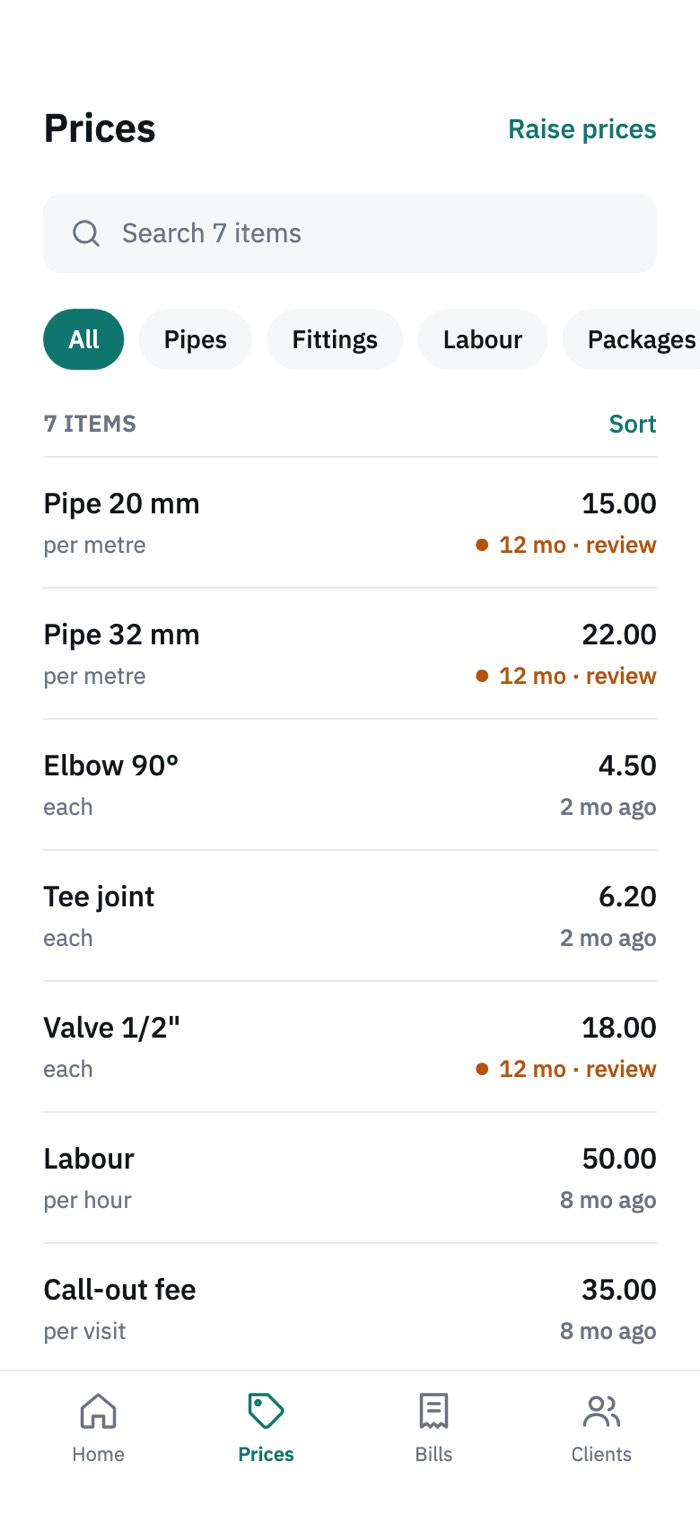
Prices as a living list
Services and materials live in one searchable price list, with packages, for example a bathroom install, that add several lines at once.
Raise prices in four steps
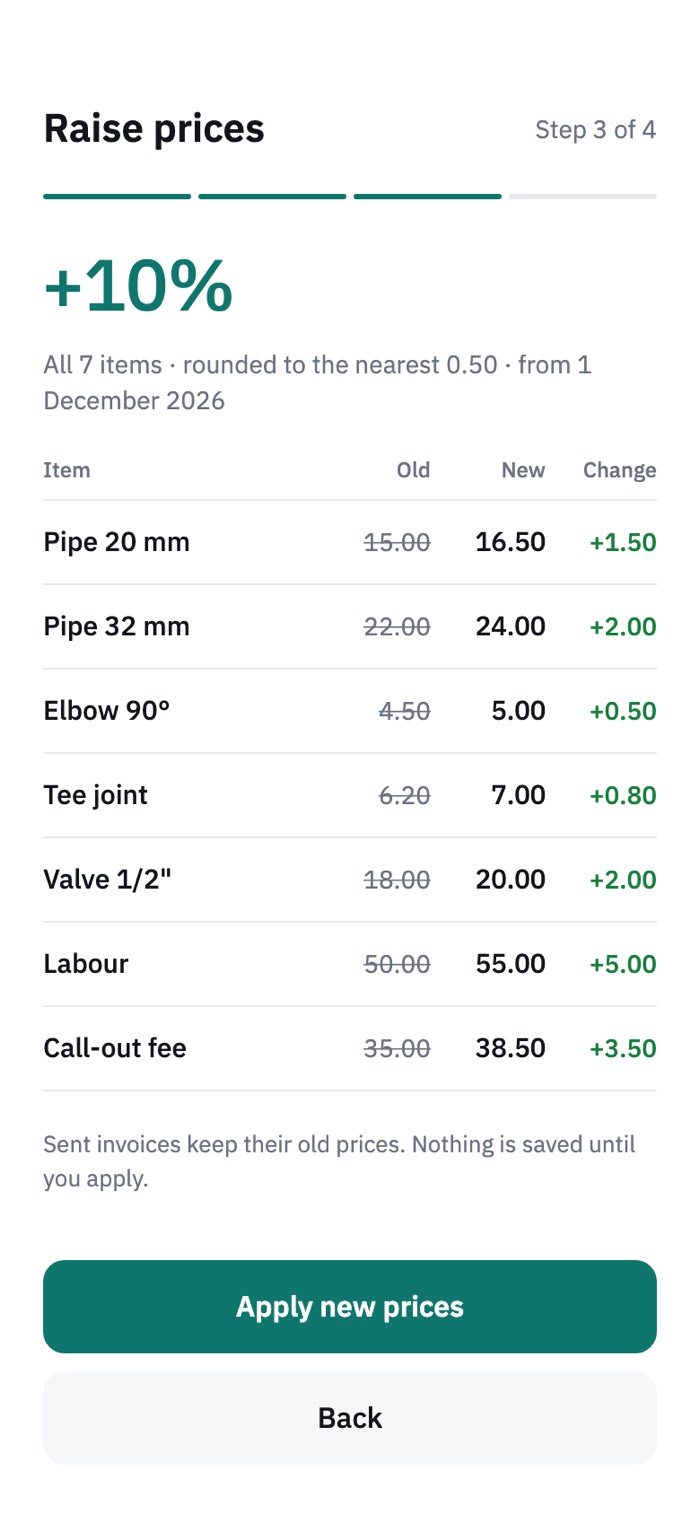
Prices that are a year old quietly cost money. A four-step flow (amount, scope, preview, confirm) raises the list and shows the result before anything changes.
Quick-calc for the job site
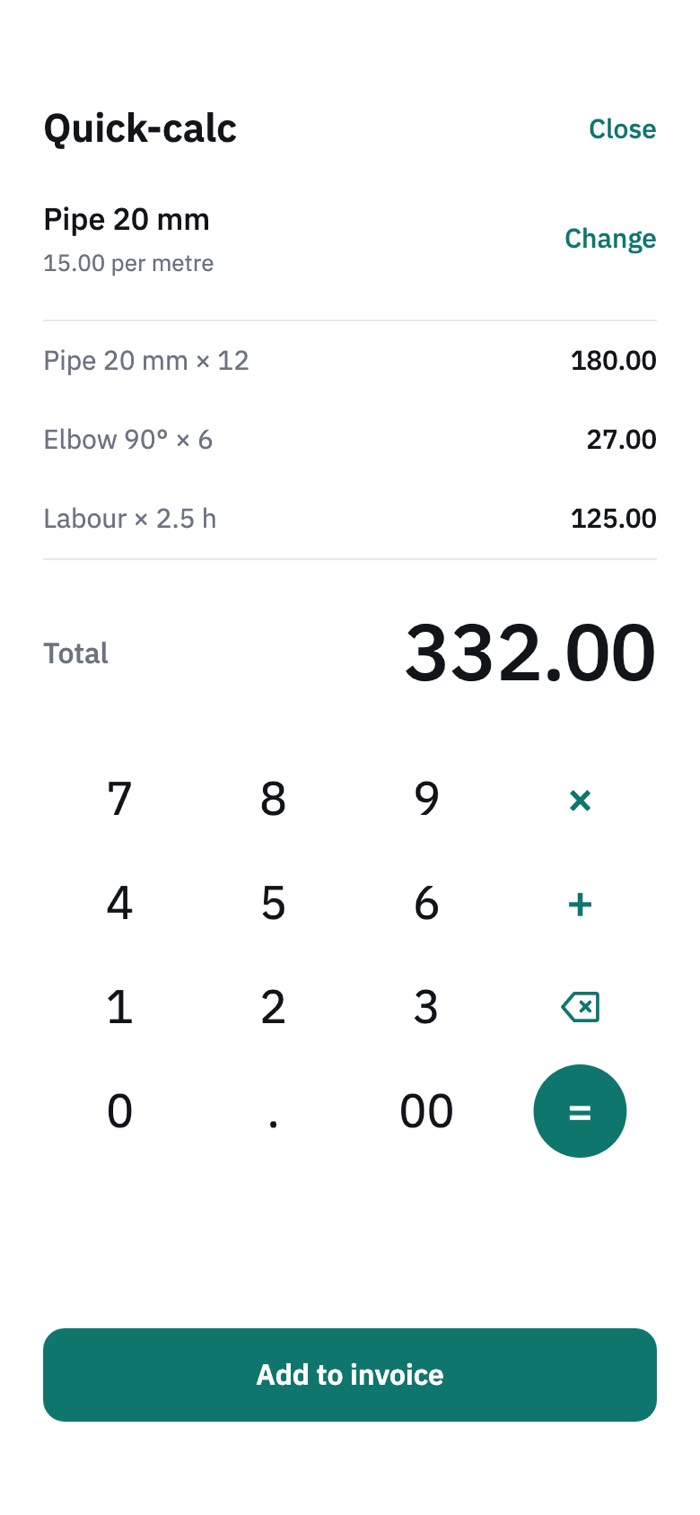
A large keypad for quick sums while standing with the client.
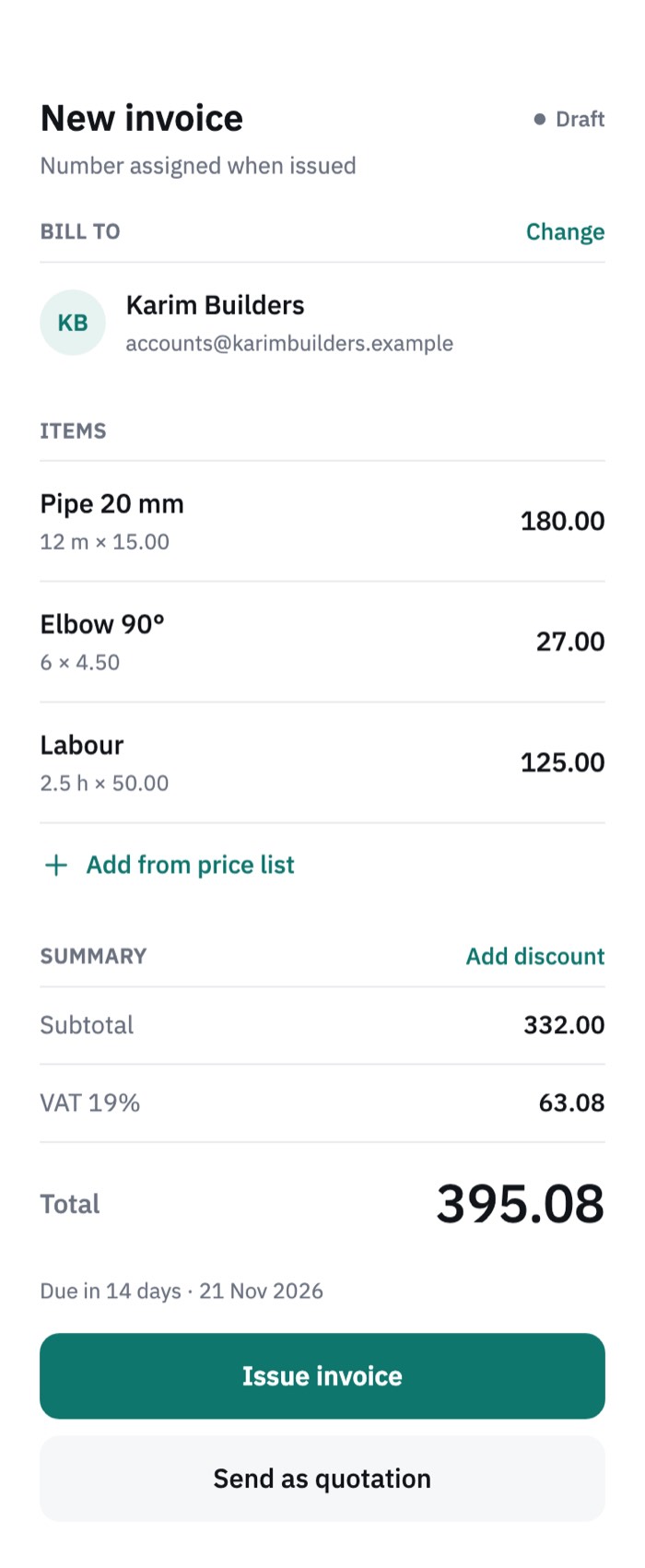
One builder for bills and quotations
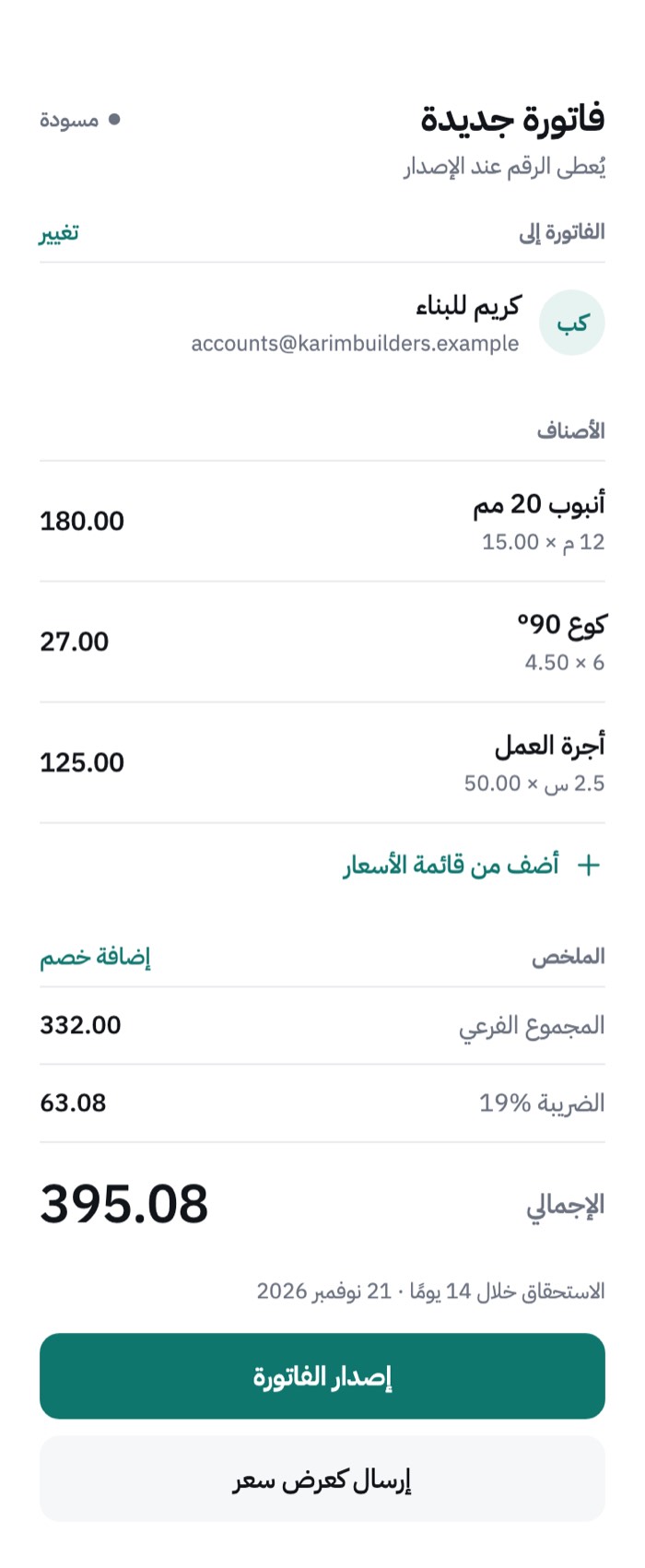
Lines come from the price list and the subtotal, VAT and total update as they change. The same screen issues the invoice or sends it as a quotation.
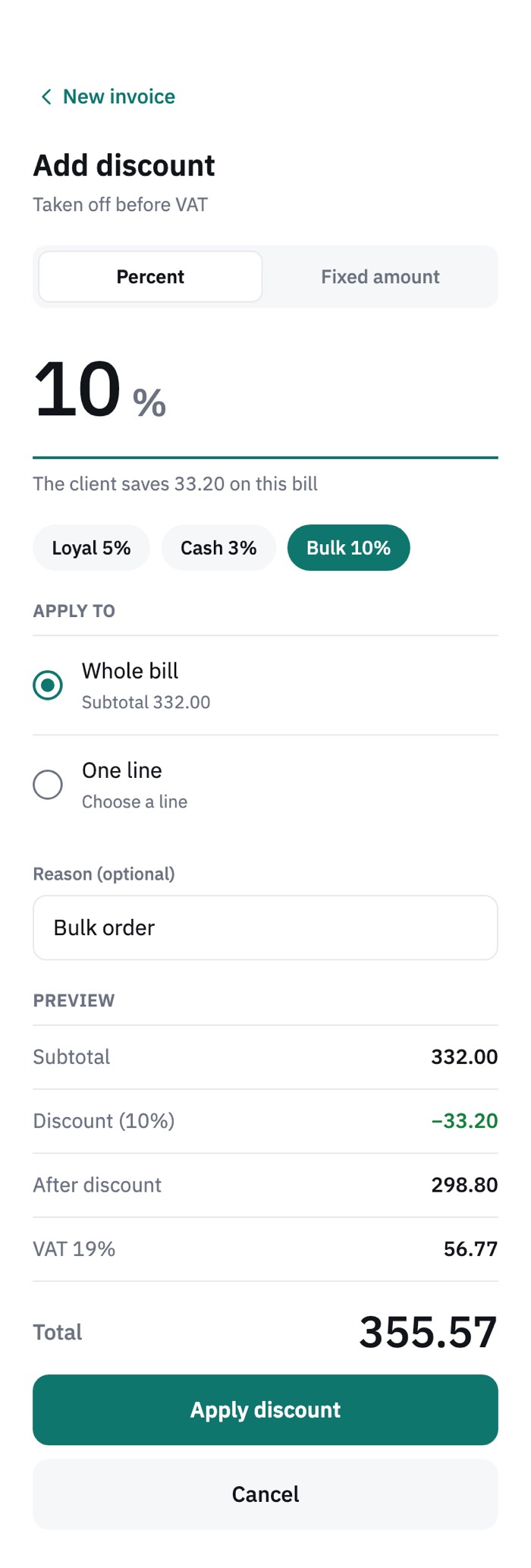
Discounts that stay clear
A discount can be a percentage or a fixed amount, on the whole bill or on a single line.
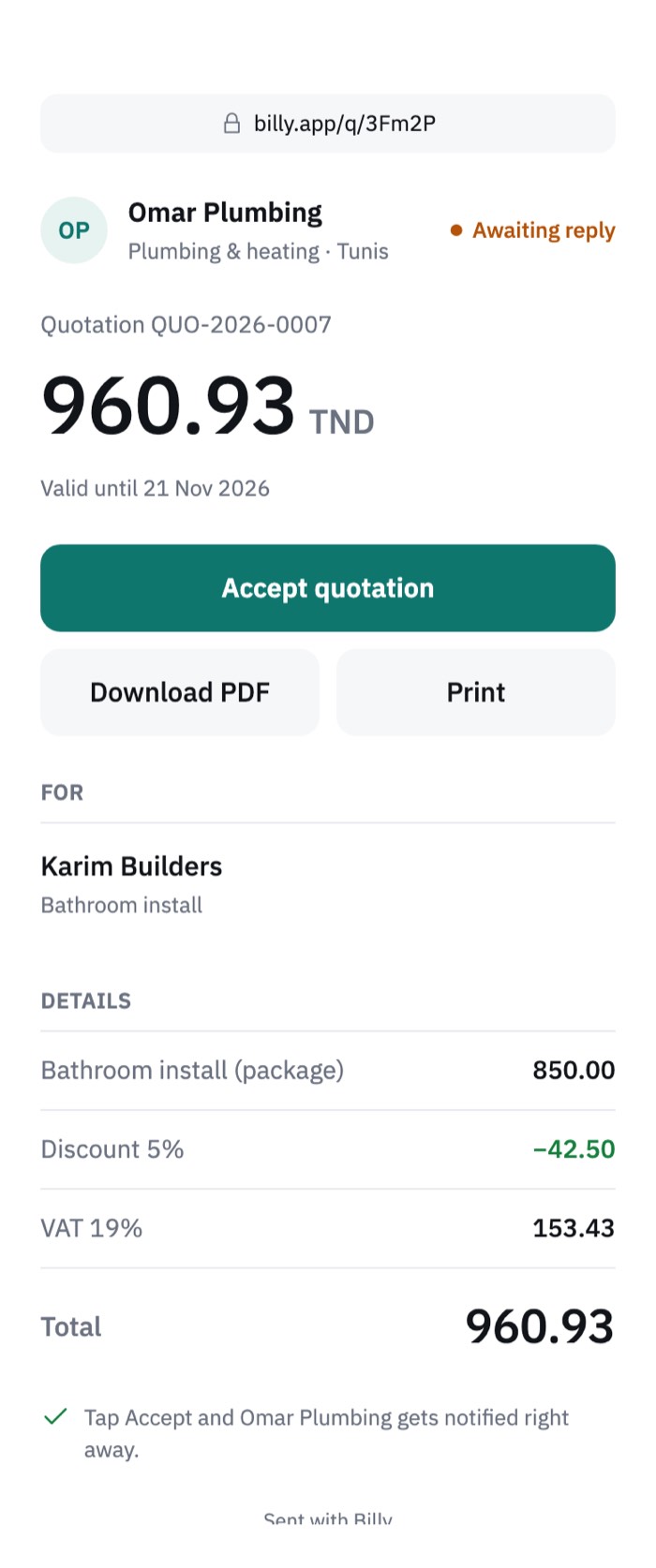
A link the client can act on
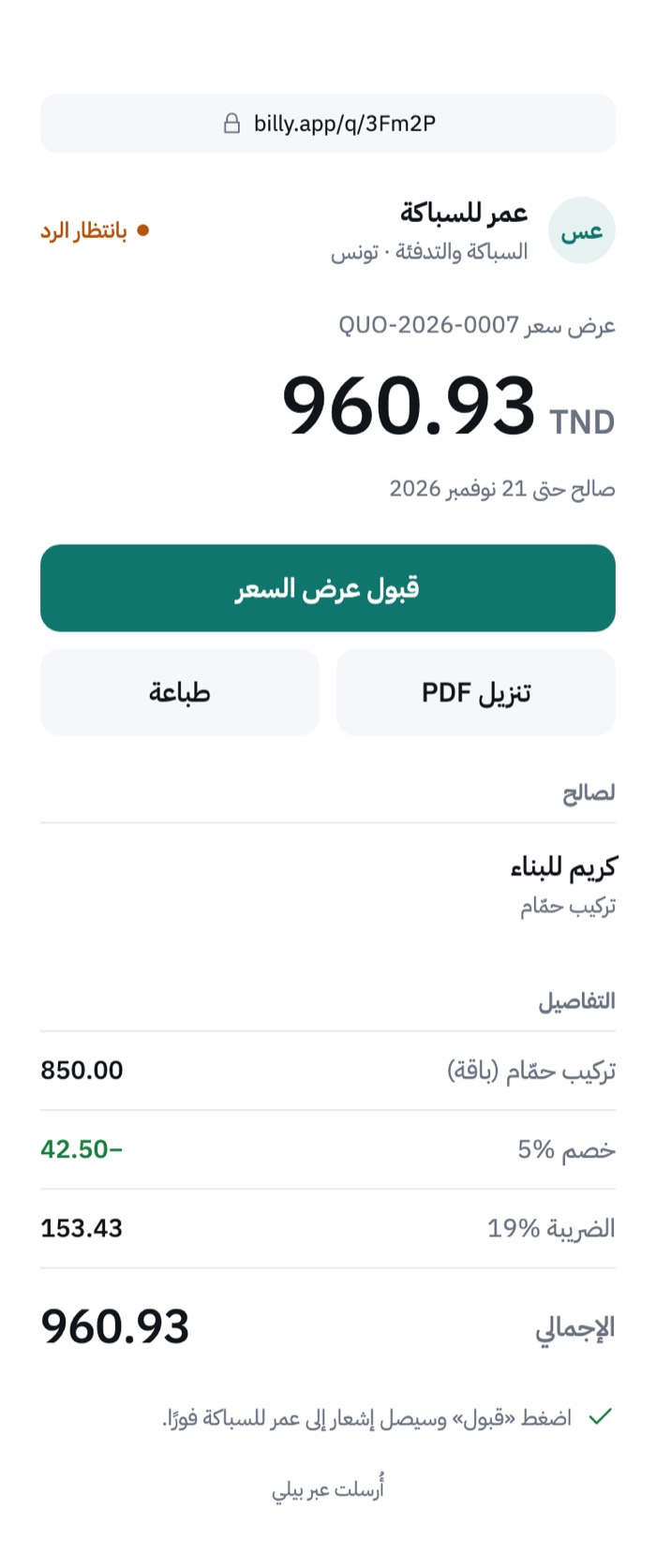
Bills and quotations are shared by link, email or WhatsApp. The client sees the total first, with Accept quotation, Download PDF and Print.
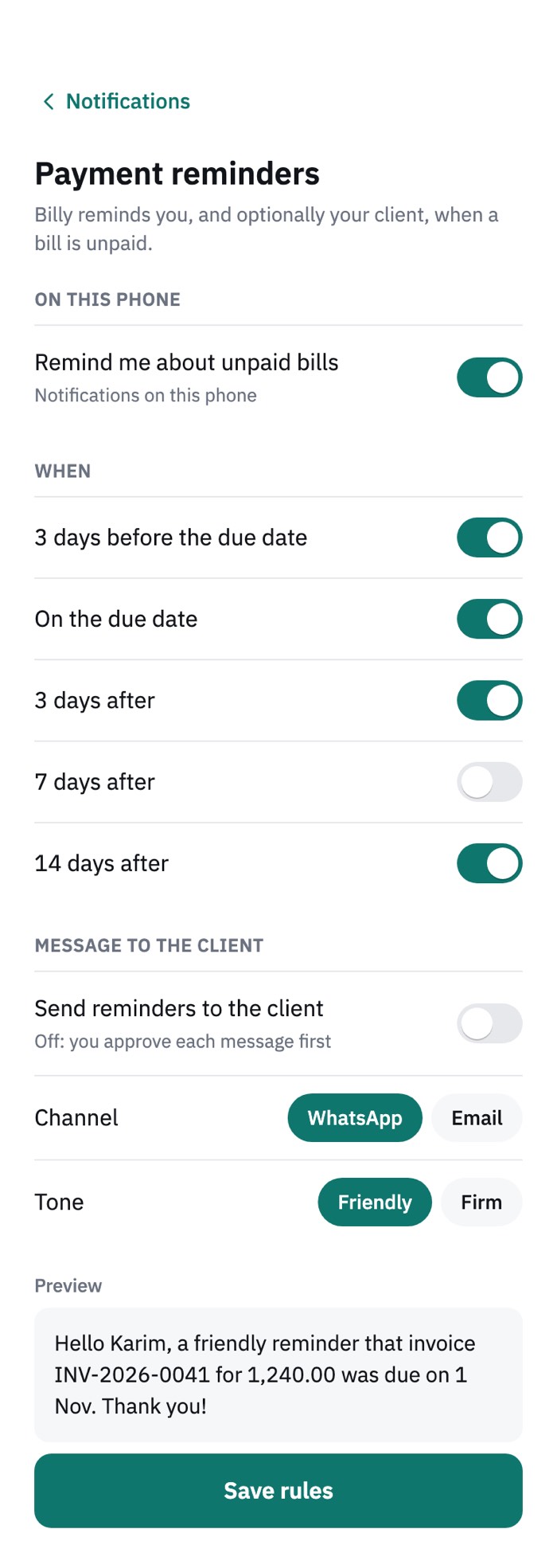
Reminders that follow rules
Notifications and reminder rules help the user follow up unpaid bills without remembering each one.
04
Prototype
Screens, the design system and the work with Claude Code.
The result is a clickable prototype with 24 screens in each language.
The price-raise flow
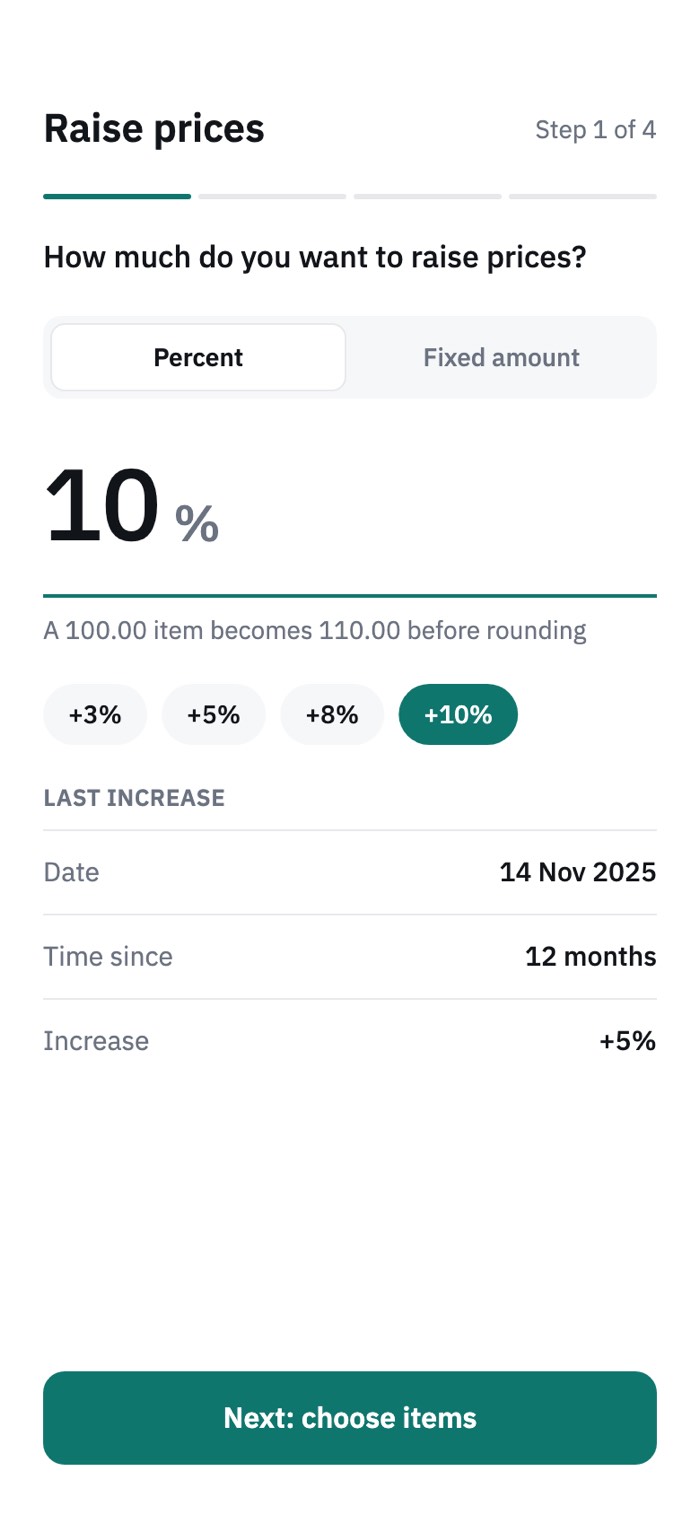 1. Amount
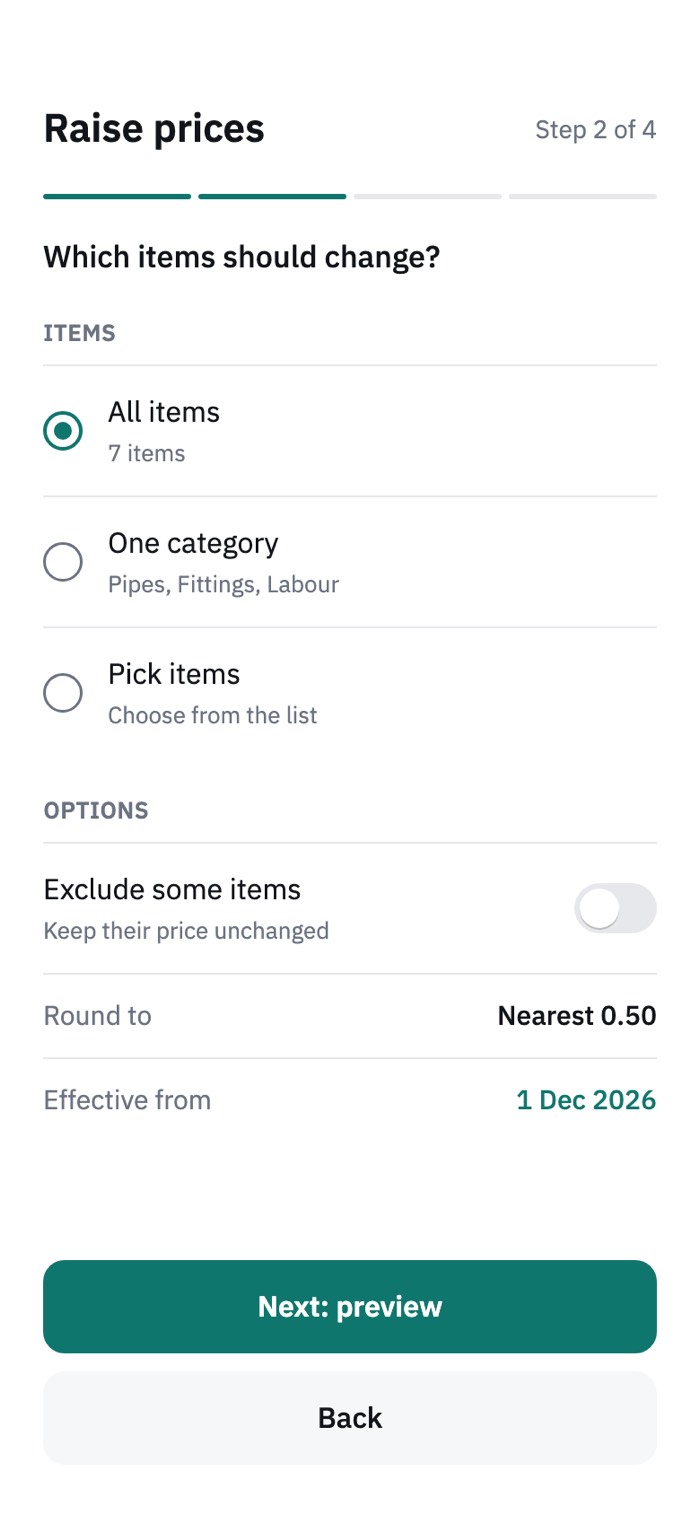 2. Scope
- 3. Preview
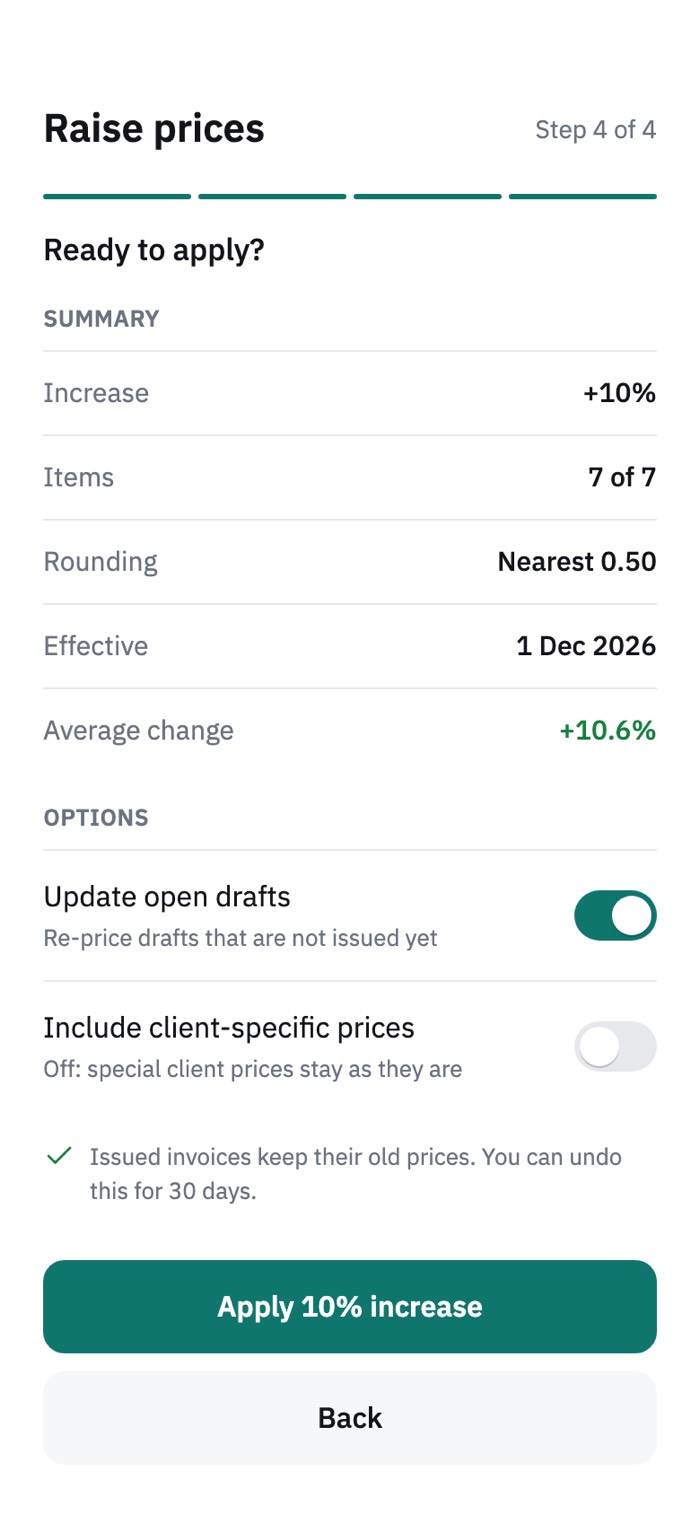 4. Confirm
Arabic from the first screen
Arabic is not a translation added at the end. Every screen exists in both languages with a truly mirrored layout, in one typeface, IBM Plex Sans Arabic. Amounts, percentages and dates keep their digits and direction inside Arabic sentences, so a total such as 395.08 never flips or breaks a line.
- English
- Arabic
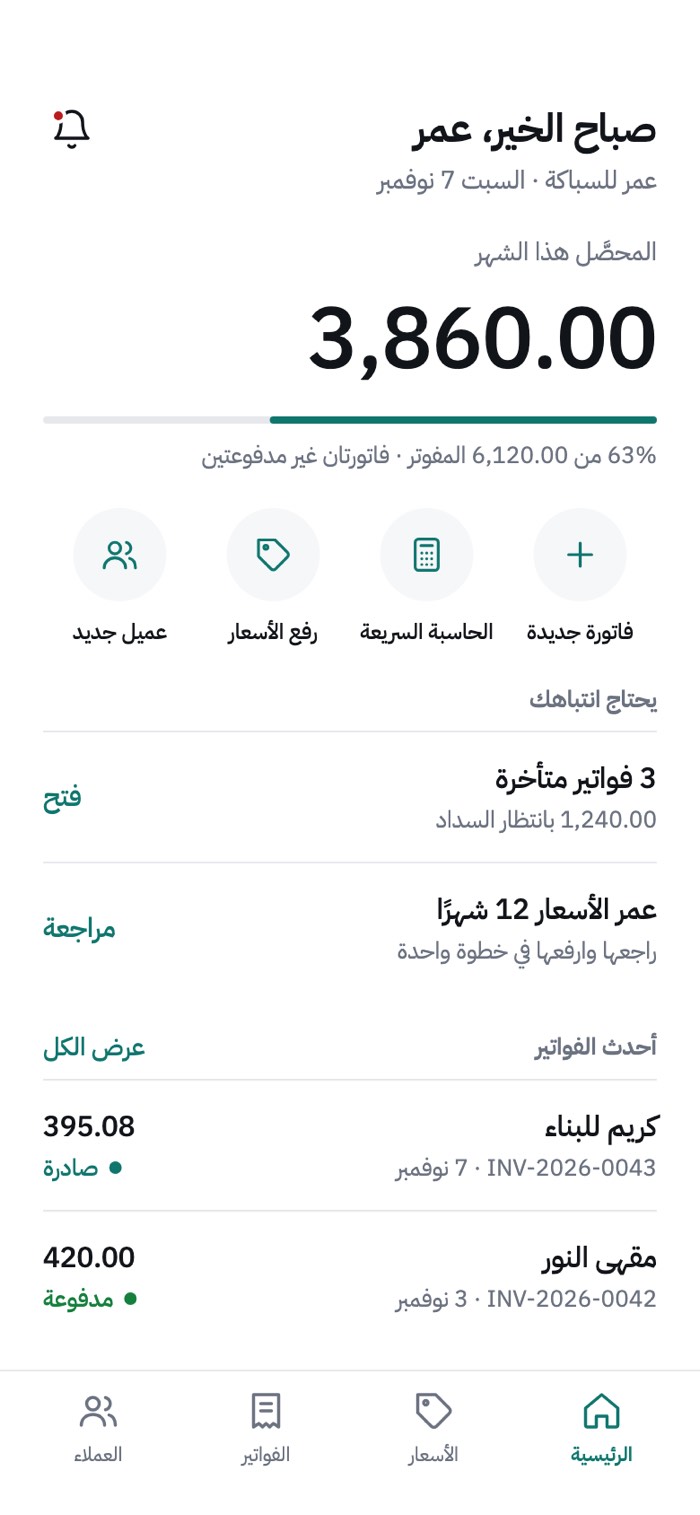
- English
- Arabic
- English
- Arabic
Design system and UI kit
The colours come from the Figma “Clean” variable collection, in a light and a dark set. A component kit and 20 icons are shared by every screen, so a new screen is assembled from ready parts, not drawn from scratch. Below are the parts, drawn with the same tokens.
Light theme
- bg
#FFFFFF - subtle
#F6F7F8 - line
#E6E8EB - text
#111418 - muted
#6B7280 - accent
#0F766E - accent tint
#E7F3F1 - positive
#15803D - negative
#B91C1C - warning
#B45309
Dark theme
- bg
#0F1214 - subtle
#171B1E - line
#262B30 - text
#F2F4F5 - muted
#9AA3AB - accent
#2DD4BF - accent tint
#12302D - positive
#4ADE80 - negative
#F87171 - warning
#FBBF24
Buttons BillyButton
Text fields BillyTextField
Chips and segmented control BillyChip · BillySegmented
Status labels StatusLabel · Dot
Hero amount and progress HeroAmount · ProgressTrack
Bill row BillRow
Toggle rows ToggleRow · BillyToggle
Totals KeyValueRow · TotalRow
Client and avatar ClientBlock · BillyAvatar
Tab bar BillyTabBar
 Home
 Prices
 Bills
 Clients
Icons (20) BillyIcon


Typeface IBM Plex Sans Arabic
Working with Claude Code (Sonnet)
I designed Billy in Figma: the flows, the 24 screens in two languages, and the colour and component system. Claude Code, running the Sonnet model, worked with me to turn that design into a running prototype.
- I decided
What the app is for, the flows, the hierarchy of each screen, the Arabic layout, the wording and the colours.
- Claude Code built
The colour tokens, the component kit, the screens, the English and Arabic text, and the screenshot checks that compare each screen with its design frame.
- I reviewed
Every screen against the Figma frame, then I directed the changes. The design decisions stayed with me; the typing was shared.
05
Test
What has been checked, and what I will test with people.
Checked so far: each screen against its Figma frame, and both languages for mirrored layout, digits and line breaks. This is expert review. It is not user evidence.
Planned user test
- Five tradespeople per language, each in their usual work setting.
- Task 1: send a quotation for a job you did this week, without help.
- Task 2: raise all your prices by 5% and check the result.
- Measure: task success, time, errors and confidence, with success criteria set before the sessions.
- Rate every problem by severity and fix the worst first.
Nothing here is a result yet. The first findings will replace this section.
What this project shows
- I start from a person’s job, not from a screen.
- I design two languages together, including the mirrored layout.
- I direct AI tools with clear design intent and keep the decisions.
Project file
The Figma file of this project, free to download.
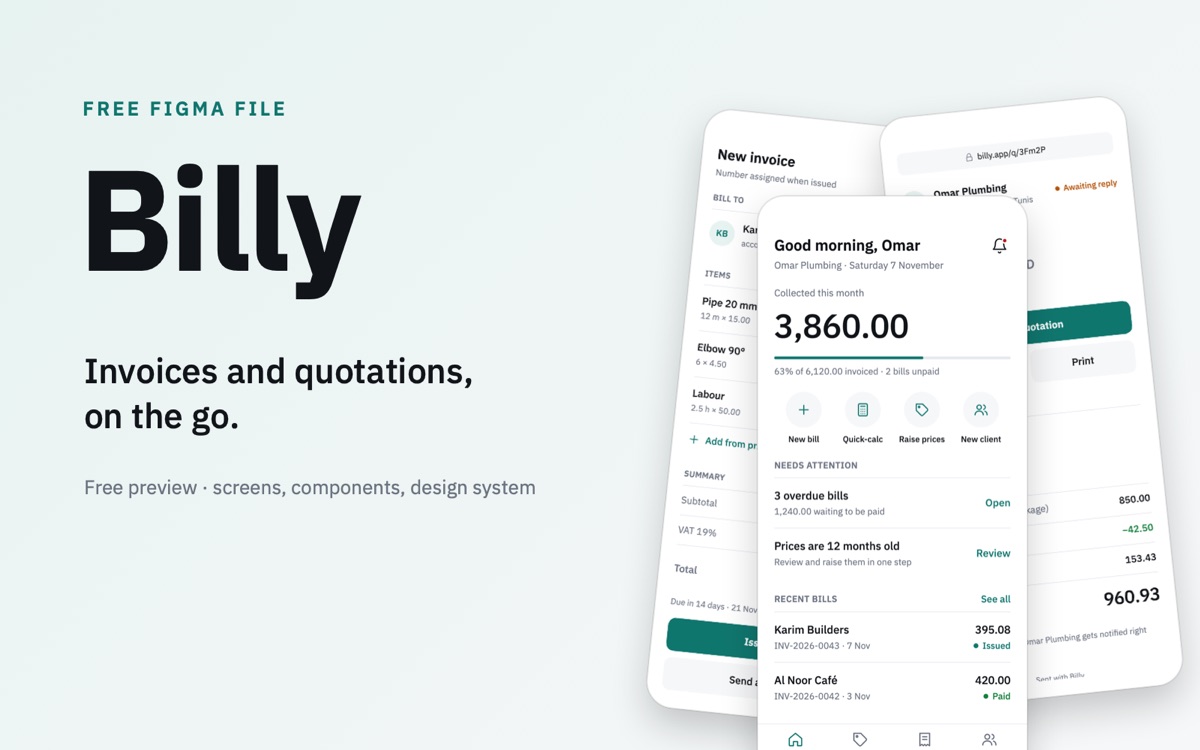
Billy
A free preview of the Billy invoicing and quotation app: isometric images of the screens, components and design system.
Open for sponsors and partners
Billy is designed and working. Help it ship.
A bilingual invoicing app for small trades, from the first price to the last reminder. The design is complete and the prototype runs. What it needs now is the people to take it live.
- Fund itBack the first release and the apps after it.
- Build itAdd the backend, sign-in, sync and the store release.
- Open doorsIntroduce it to small trades businesses.