
Smart Asset Management
Optimizing inventory for dredging operations: a mobile-friendly app that keeps the right materials available at the right time.

The problem
Field crews wait for parts that are not on site, while warehouses hold stock nobody needs. Requests travel by paper and phone, nobody sees real stock levels, and one missing pipe or valve can stop a dredge for hours.
How might we…
- let an operator see what is available and ask for it in under a minute, even without signal?
- warn the warehouse manager before stock runs out, not after?
- approve requests fast enough that none waits overnight?
TargetA request sent in under 60 seconds · low stock flagged before it turns critical
The objective
The company is facing a significant challenge in managing consumable assets such as pipelines, connectors, gaskets, valves, etc. that are critical to its dredging operations. Not having these assets on site at the right time can cause major schedule delays; while having an abundance of them on site can cause unnecessary cost overruns.
Problem & user research
What is a dredging operation?
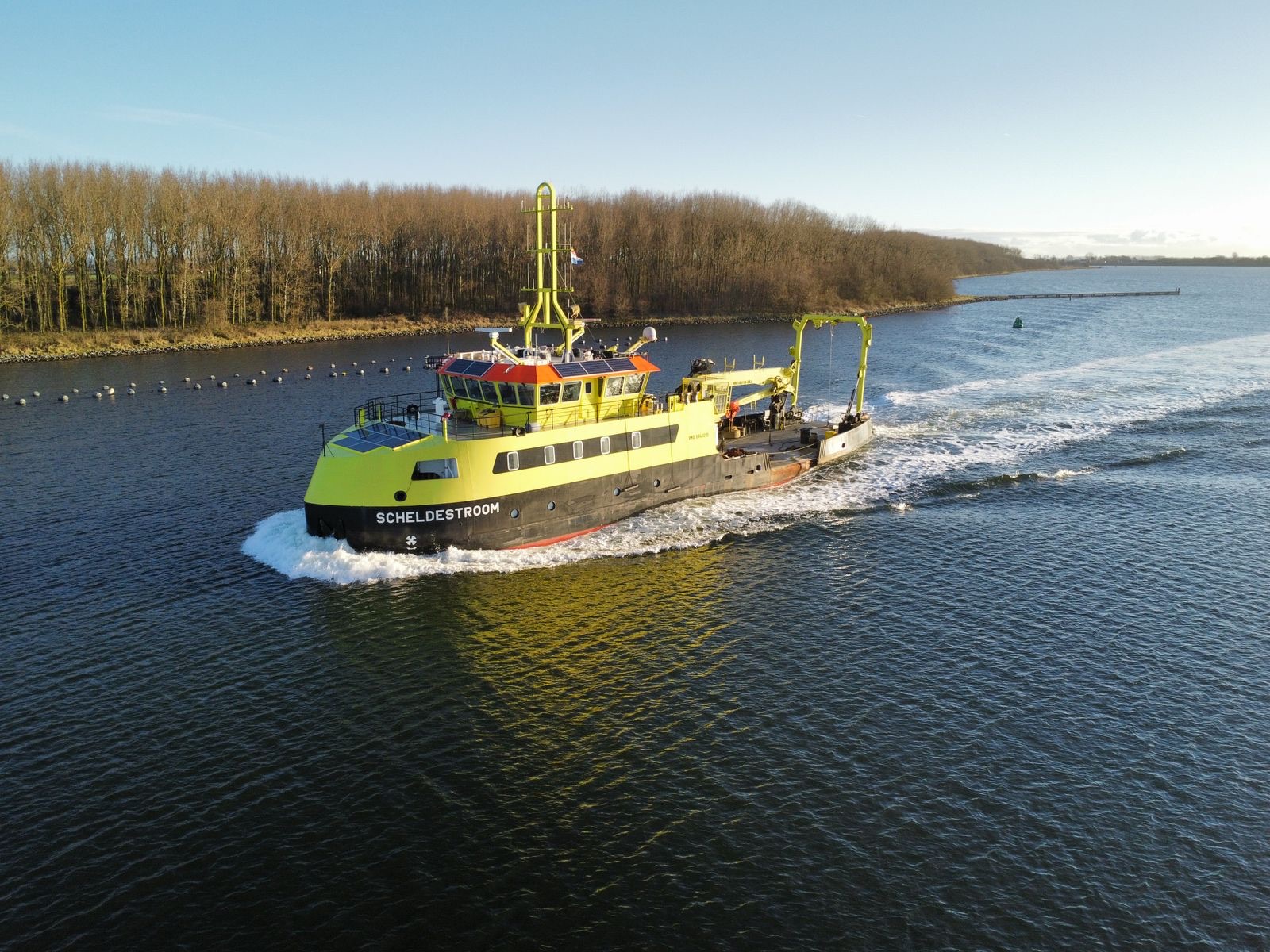
Dredging removes sediment and debris from waterways to maintain depth and navigability, preventing blockages from natural sedimentation.
Key consumable assets & their role
Consumable dredging assets are essential for continuous operations, requiring regular replacement due to wear. They ensure smooth workflows, prevent costly delays by maintaining part availability, and minimize risks like leaks, mechanical failures, and downtime.
- PipelinesTransport dredged material; need frequent replacement due to wear.
- Connectors & CouplingsJoin pipelines together; failure leads to leaks and downtime.
- Gaskets & SealsEnsure watertight connections; prevent pressure loss and fluid leaks.
- ValvesControl material flow; essential for regulating dredging efficiency.
- Hoses & NozzlesDirect material flow; must be highly durable against abrasion.
- Cutting Edges & TeethUsed for excavation; wear down quickly and need frequent changes.
Personas
Two primary users shape the solution.
Proto-personas. Built from the brief and domain assumptions, not from interviews. Next step: validate them with 5 to 6 interviews per role.

Persona 1 · Field Operator
John Carter
Senior Dredge Operator
If I don’t have the right part at the right time, the whole operation stops. I need a fast, simple way to get what I need.
John has been working in dredging operations for over 15 years, specializing in heavy equipment operation. He spends most of his time on-site, ensuring dredging machines run efficiently. His biggest challenge is not having the right parts at the right time, which can delay operations for hours or even days. He relies on manual paperwork and phone calls to request parts, often leading to miscommunication and wasted time.
Pain points
- Delays in receiving parts slow down work
- No real-time inventory updates
- Manual request process (paperwork, phone calls)
- Miscommunication with the warehouse
Goals
- Get the right parts on time to avoid downtime
- Quickly check which assets are available
- Easily request parts with minimal steps
- Offline mode for remote locations (view inventory and submit requests without internet; syncs automatically when back online)

Persona 2 · Warehouse Manager
Sarah Mitchell
Inventory & Procurement Manager
I need a system that tells me what’s running low before it becomes a problem. No surprises, no delays.
Sarah has been managing inventory and procurement for 10+ years, overseeing stock levels for multiple dredging sites. She struggles with tracking real-time inventory and forecasting demand. Her current system relies on spreadsheets and outdated inventory tools, making it hard to prevent shortages or overstocking. When requests from field operators pile up, manual approvals slow down the process, leading to costly delays in asset delivery.
Pain points
- No visibility into real-time stock levels
- Unpredictable demand leads to either shortages or excess stock
- Slow approval process causes delays
- Manual tracking leads to errors
Goals
- Real-time inventory tracking across multiple sites
- Prevent shortages & overstocking with better forecasting
- Automate stock alerts for low inventory
- Approve/reject requests quickly to keep operations running
Key insights
Optimizing consumable asset management
- The problemMissing parts delay dredging operations, causing costly downtime. Manual tracking is inefficient, leading to miscommunication & errors. No real-time inventory visibility results in shortages or overstocking.
- Who needs the solution?Field Operators (John Carter) – need fast access to parts, real-time updates, and offline functionality for remote sites. Warehouse Managers (Sarah Mitchell) – need accurate stock tracking, automated low-stock alerts, and quick approvals to keep operations running smoothly.
- The solutionLive inventory tracking – know what’s available instantly. Fast & digital requests – reduce delays with a seamless process. Offline mode – operators can request parts anytime, even without internet. Automated alerts & insights – prevent shortages with predictive tracking.
Wireframing
The field operator’s path in three screens: see what is in stock, ask for it, follow it to delivery.
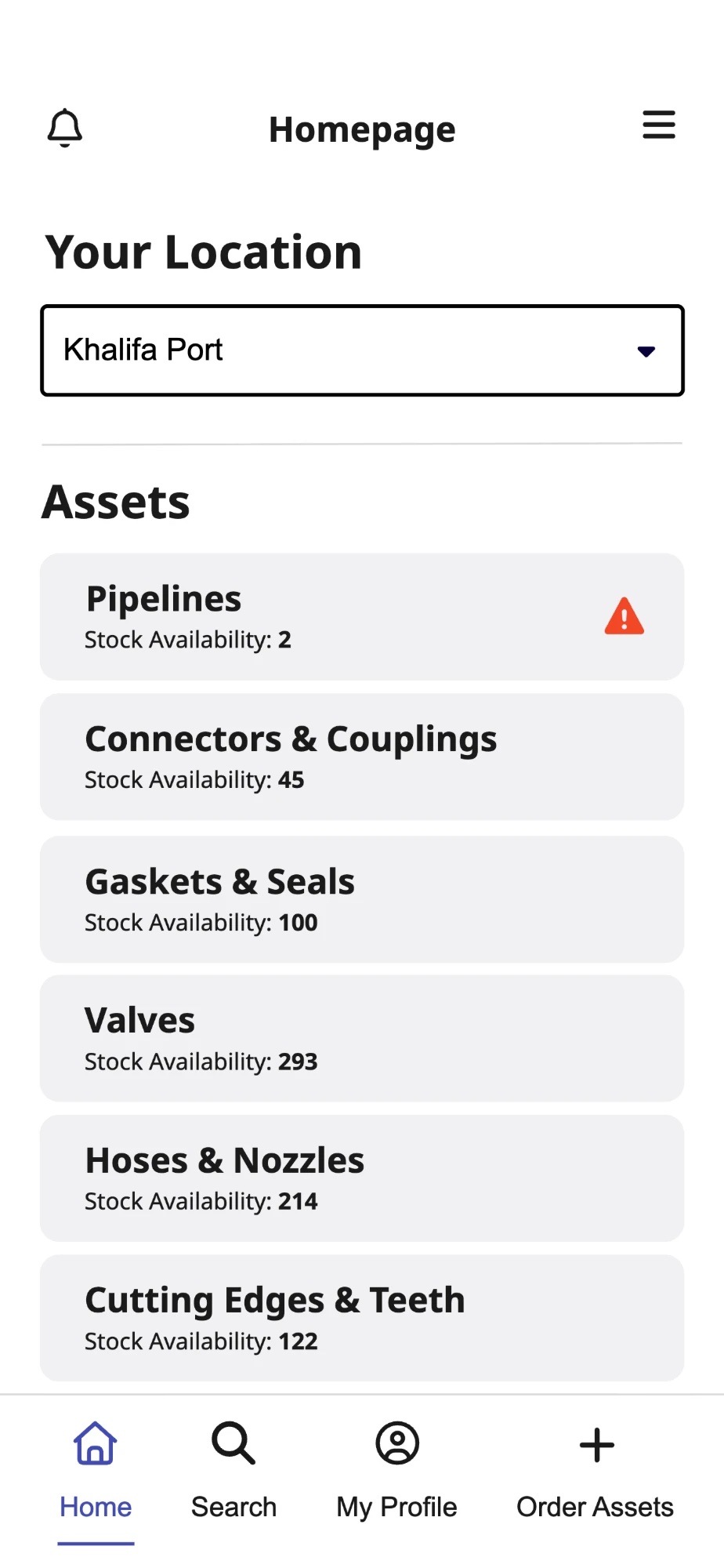
1HomeSeeLocation and stock for each asset. A warning icon flags low stock. 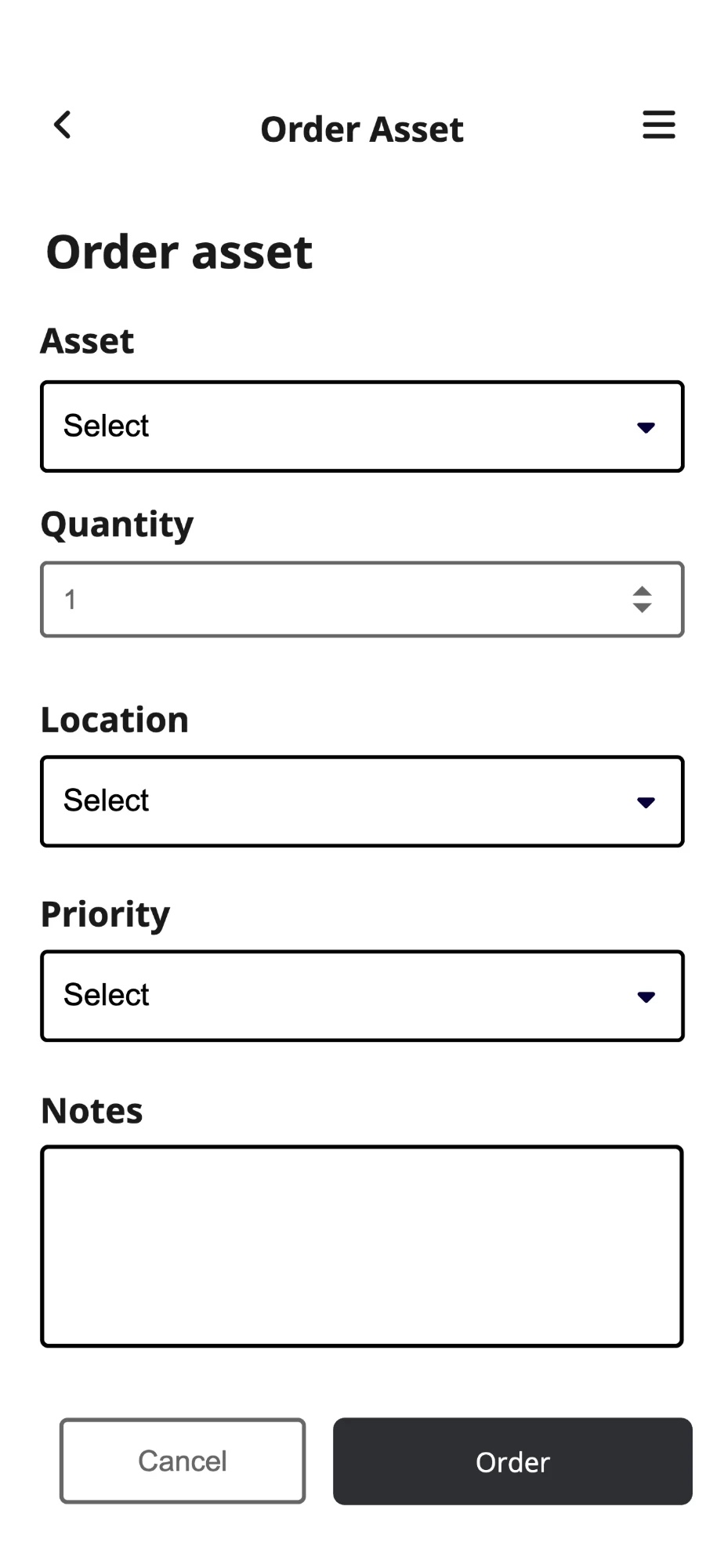
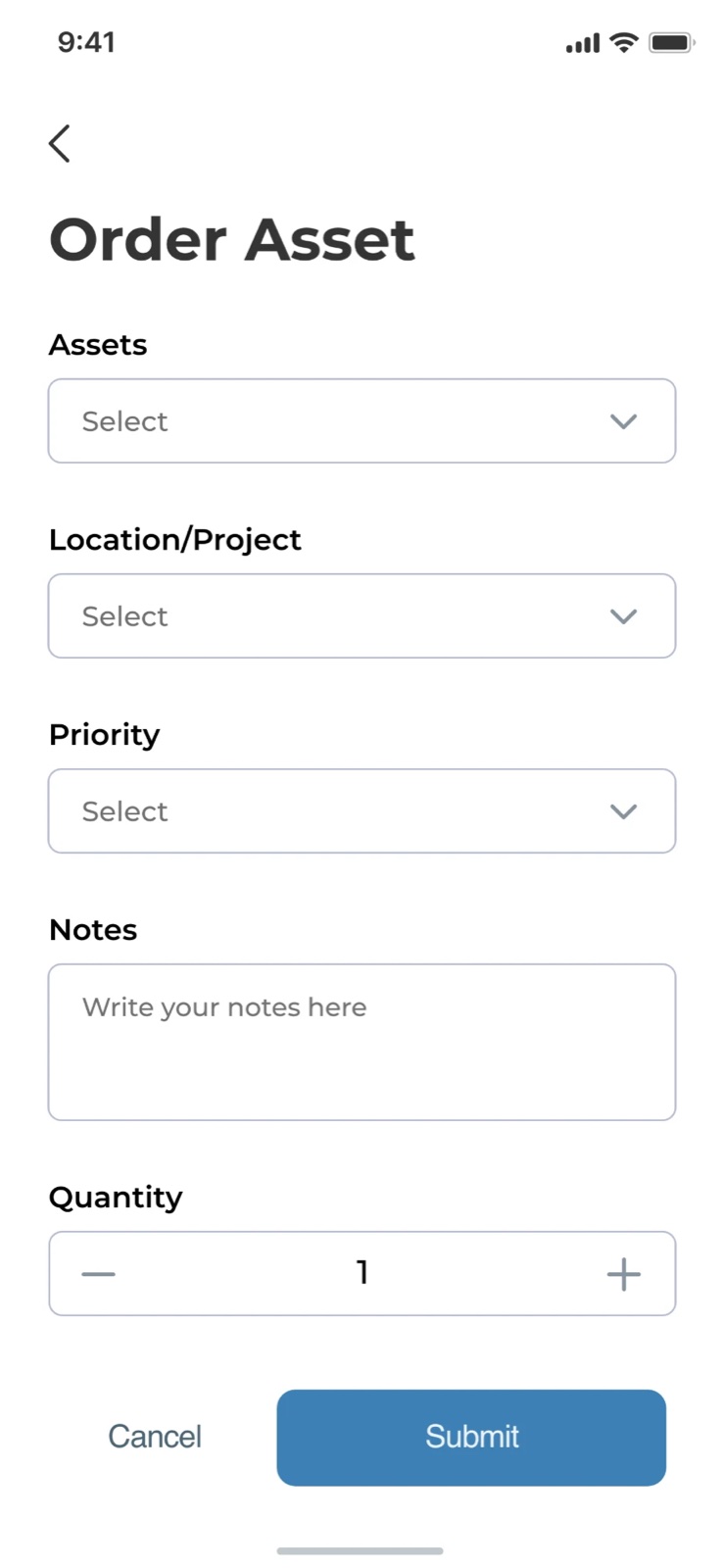
2OrderAskOne form: asset, quantity, location, priority and notes. 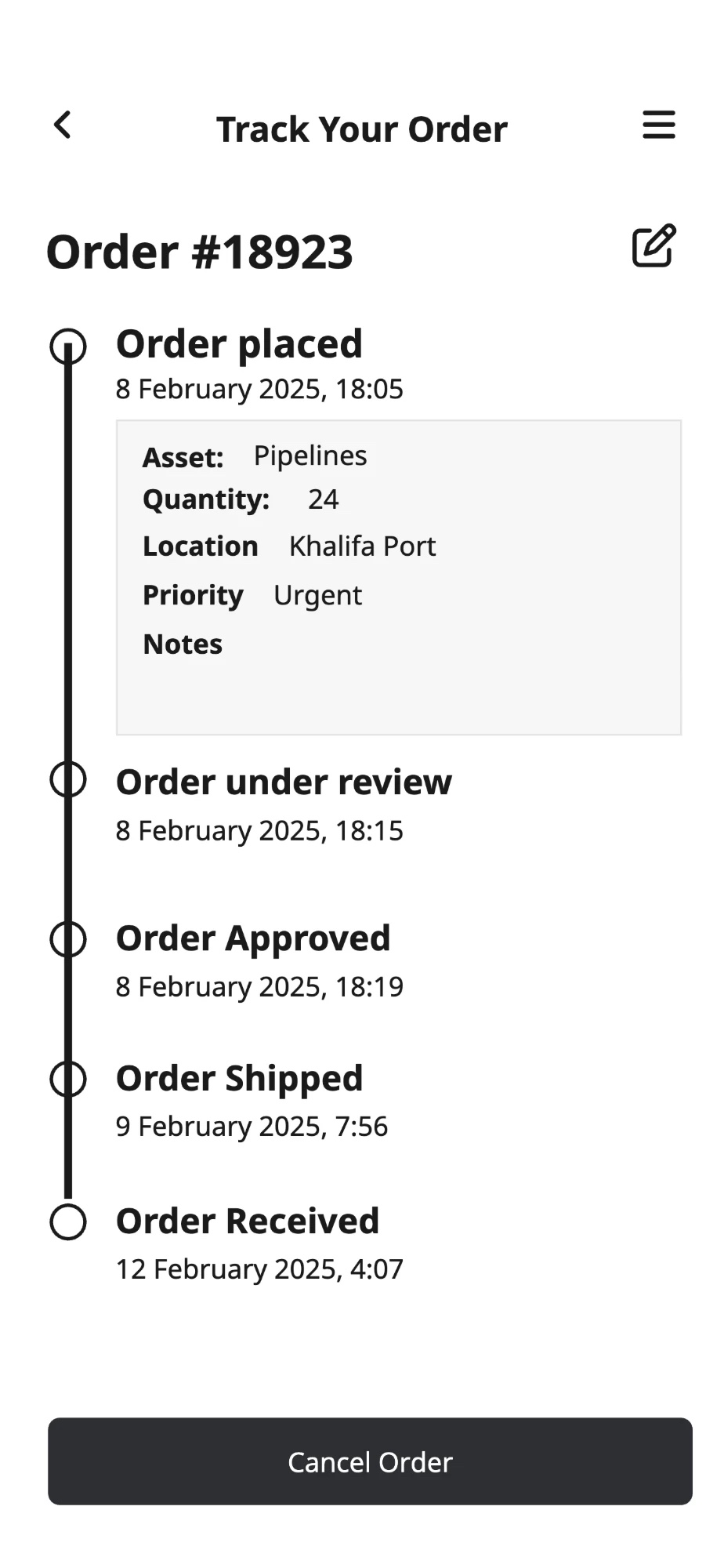
3TrackFollowA timeline from placed to received, with the request details.
Low-fidelity wireframes: layout and flow, not visual design. Select a screen to enlarge.
Workflow
Field operator workflow
Requesting an asset
Warehouse manager workflow
Approving and managing requests
1 · Review and decide
2 · Manage the inventory
- Start
- Decision
- End
UI design
Mobile interface
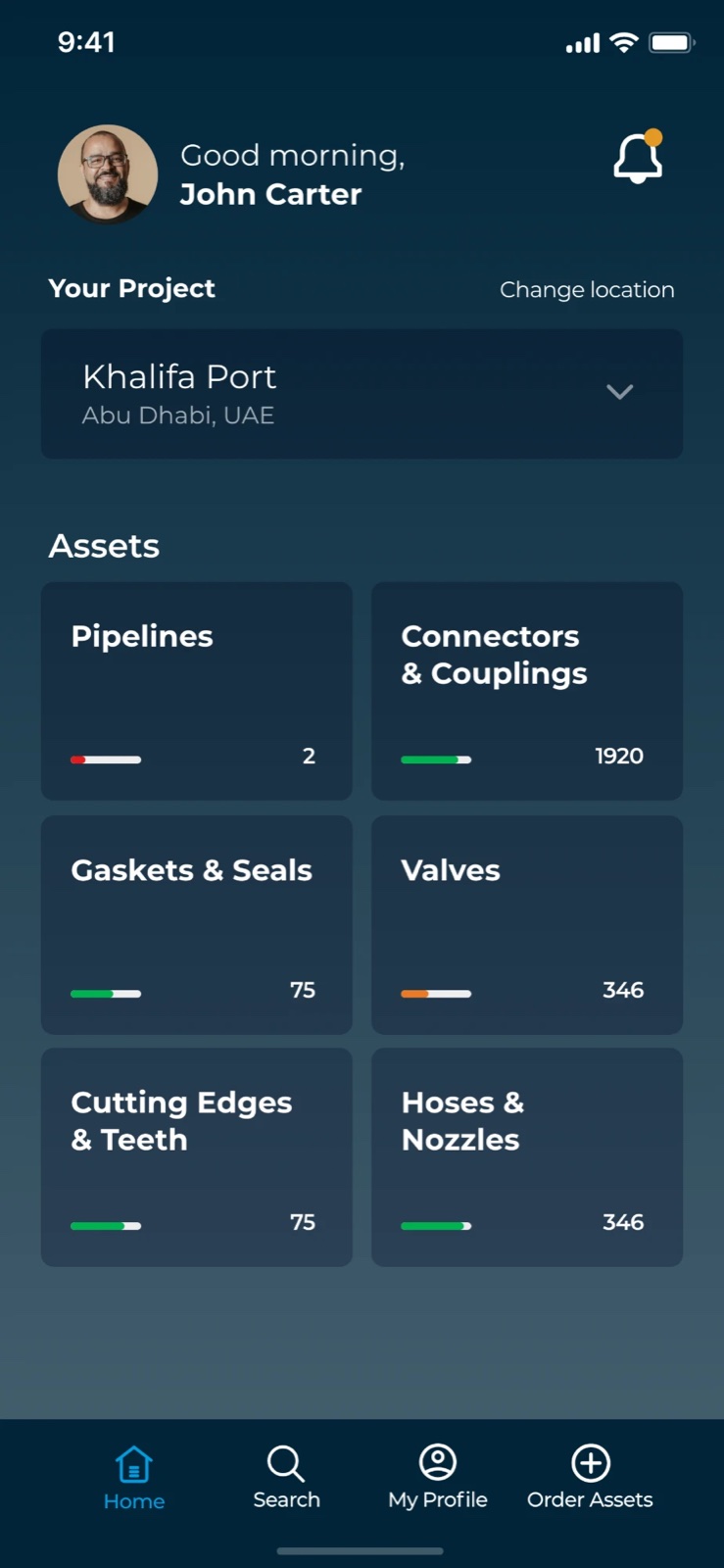
Dark dashboard for field use, light form screens for requests.
Design toolAdobe XD
UX design
From app launch to a live dashboard
You open the app—smooth animations lead to a live dashboard where stock levels are color-coded: green for available, orange for low stock, and red for critical levels requiring immediate action. Real-time updates ensure instant visibility, making inventory management effortless and proactive.
- Available
- Low stock
- Critical
Key decisions
Three choices I made, why, and what each one costs.
- DecisionDark dashboard, light formsWhy: A dark home screen for quick status checks, light screens for focused input. To be checked in the test, outdoors and at night.Trade-off: Two visual modes to keep consistent.
- DecisionStatus is colour, number and barWhy: Each tile shows a count and a bar as well as colour, so colour is never the only clue.Trade-off: Denser tiles. Next step: add a text label (Low, Critical) too.
- DecisionRequests work offlineWhy: Operators queue a request without signal and it syncs later, because remote sites are the real condition.Trade-off: Needs conflict handling, for example two requests for the last item. Not designed yet.
Not designed yet: the manager’s approval screens and the offline and error states. They come next.
Usability test plan
A moderated test to learn whether field operators and warehouse managers can finish their key jobs without help. This is a plan: no test has been run yet.
- Method6 to 8 participants, 3 to 4 per role. Moderated, think-aloud, on a phone, with weak connectivity simulated for operators. Recording, task timing and a short post-test survey.
- Success criteria (set before testing)At least 80% finish each task unaided. A request is sent in 60 seconds or less. No more than one critical error per participant. Satisfaction of 4 out of 5 or higher.
- What we want to learnDo operators read stock status correctly with no legend? Where do people hesitate on the request form? Does sending offline feel trustworthy? How long does a manager take to decide?
Test scenarios
Written as goals, with no interface labels and no hints.
- Scenario 1Can you finish tomorrow’s job?You are on site and need to know whether you have what tomorrow’s job needs. Find out.
- Scenario 2A part has worn outA pipe section has worn out and you have no signal. Get a replacement sent to your location.
- Scenario 3Where is my request?You asked for a part yesterday. Find out where it stands and what happens next.
- Scenario 4 · managerWhich first?Several requests are waiting. Decide which to approve first and why.
Working with AI as the driver
On this project the AI tool sat in the driver’s seat, not the back seat. ChatGPT produced the first pass of most of the material, and I worked as the director: setting the brief, steering with prompts and checking every result.
- What the AI droveOrganising ideas into a structure. Drafting and refining the user flows. Turning notes into clear presentation text. Producing alternatives for me to react to.
- What I directedThe problem and its constraints. The prompt style: structured prompts for clarity, open prompts for creative options. What to keep, change or throw away. Checking each result against the reality of dredging work.
- Limits I keptAI output is a draft, not evidence. The personas, quotes and numbers it helped produce are assumptions until real users test them.
Prompting is a design skill: how a prompt was written changed what came back.
Conclusion
What I learned and what comes next
Framing the problem as “how might we” questions kept the design about the work, not about screens.
Limits: no real users were involved, the personas are assumptions and no test has been run. The numbers are targets, not results.
Next: interview operators and managers, run the test plan above, design the approval and offline states, and add text labels to stock status.
AI drove the drafting and I directed and checked it, as described above.
Project file
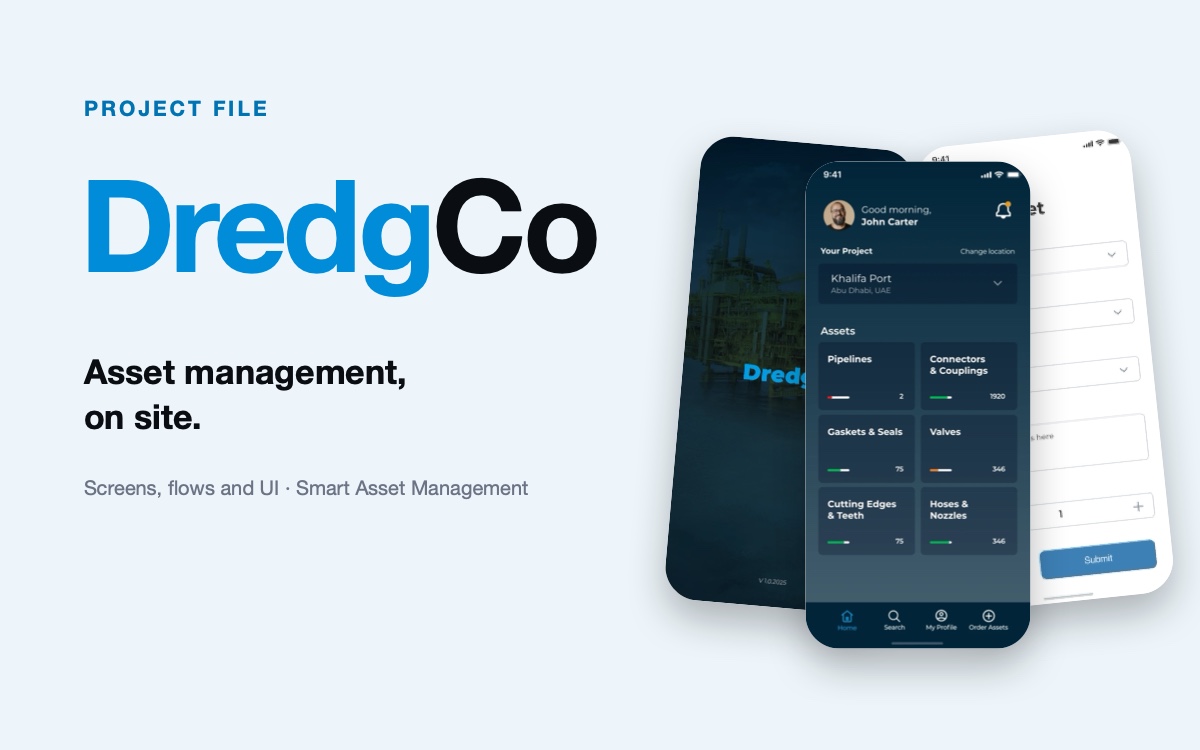
The Figma file of this project: the mobile screens, ready to explore and reuse.
DredgCo
The mobile screens of the Smart Asset Management app: splash, home dashboard and request form.
Download